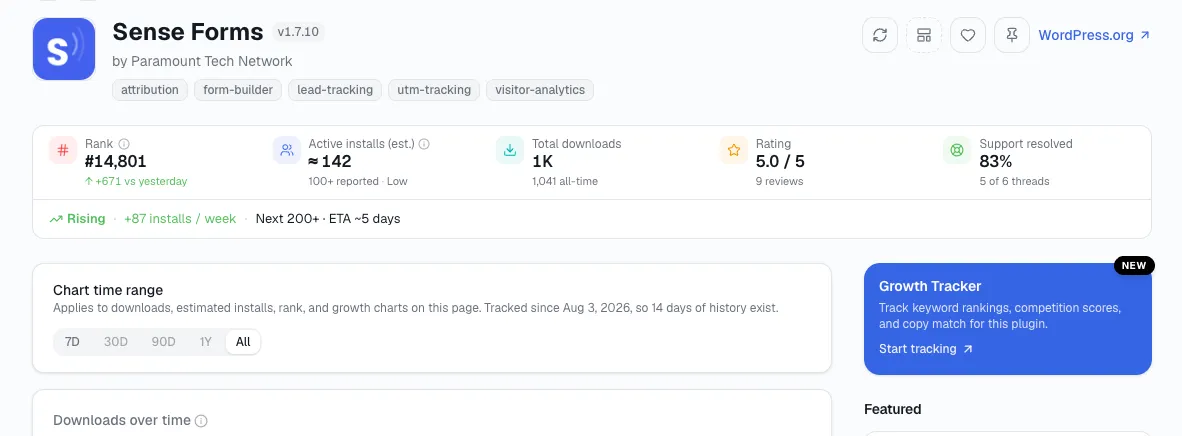
Finding a profitable WordPress plugin idea means looking in the five places real plugin ideas actually come from - your own repeated workflow friction, WordPress.org's own support forums, WordPress core's changelog, work you keep rebuilding by hand for clients, and SaaS categories with no native WordPress equivalent yet.
This is a wide net, not a decision. Once you've got two or three candidates worth a closer look, validate each one against real WordPress.org data before you build anything - that's a separate step, covered separately below.
Cutting to the chase: The most profitable WordPress plugin ideas usually come from five places: your own workflow friction, WordPress.org support forums, WordPress core's changelog, work you keep rebuilding for clients, and SaaS categories with no native WordPress equivalent yet.
Five places real plugin ideas actually hide
Your own repeated workflow friction
Anything you've manually worked around three or more times on real sites is a stronger idea source than a brainstorm, because you already know the exact shape of the problem and roughly what a fix would need to do.
Say you build WooCommerce sites and every single project needs the same manual step - exporting order data into a specific CSV shape for a client's accountant, by hand, every month. You've done it nine times across nine different sites. I don't treat that as a coincidence to shrug off - it's market research you already ran without meaning to, and the plugin idea already has a name in your head: it does exactly the one thing you keep doing by hand, nothing more.
The same test applies to anything you've patched with a one-off functions.php snippet more than once. If you've copy-pasted the same snippet into three different client themes, that's not a coding shortcut - it's a feature nobody's packaged yet.
WordPress.org's own support forums and 1-star reviews
The directory has a dedicated Requests and Feedback forum where users post the features they want and can't find. Read it for your category directly, and read the 1- and 2-star reviews on the plugins already in that space for the same repeated phrasing.
I read one complaint on one plugin as just that plugin's problem. The same complaint showing up on three different plugins in the same space, worded differently but pointing at the same missing feature, is a market gap. If three separate reviews across three unrelated SEO plugins all say some version of "wish this worked on WooCommerce products, not just posts," that's not one annoyed user - it's an unmet need with a specific, buildable shape.
What WordPress core deprecates or leaves unfinished
Every time WordPress core or Gutenberg deprecates a function or a pattern, sites relying on the old behavior need a bridge until they migrate. The Block Editor Handbook's own deprecation policy guarantees a compatibility window every time this happens, and that window is a real, recurring opportunity, not a one-off.
Scan the "deprecated" entries in the last couple of majors' release notes on Make WordPress Core for anything that touches a workflow agencies rely on. I'd call a plugin that keeps an old shortcode-based layout working for another year while a client base slowly migrates a legitimate, if time-limited, business - and there's always another deprecation queued up behind the last one.
Anything you rebuild by hand for every client
If a workflow involves the same manual setup step on every project - a specific import format, a particular compliance checklist, a repeated integration - that repetition is itself the evidence of demand. You're just the first person to notice you could package it.
A cookie-consent setup that needs the same five settings tweaked on every EU client site, or a translation-string cleanup pass that happens on every multilingual build, are the kind of repeated task that separates this source from the first one above: this is about what you rebuild for other people, not friction on your own site.
SaaS categories with no native WordPress equivalent
Tools that exist as standalone SaaS products but have no direct WordPress-native version yet are a specific, checkable gap. A standalone SaaS product with a real paying customer base but zero WordPress-native equivalent is worth a five-minute directory search - search the category by name in the WordPress.org directory and see how thin the actual results are before assuming the gap is real.
I've found this source works especially well for categories built around a workflow rather than a single feature - appointment scheduling, review collection, and simple CRM tools all had years-long stretches where the standalone SaaS versions were mature and the WordPress-native versions were thin or missing outright. Whether that's still true for a given category by the time you read this is exactly what the directory search checks.
Do a 30-second gut check on each candidate
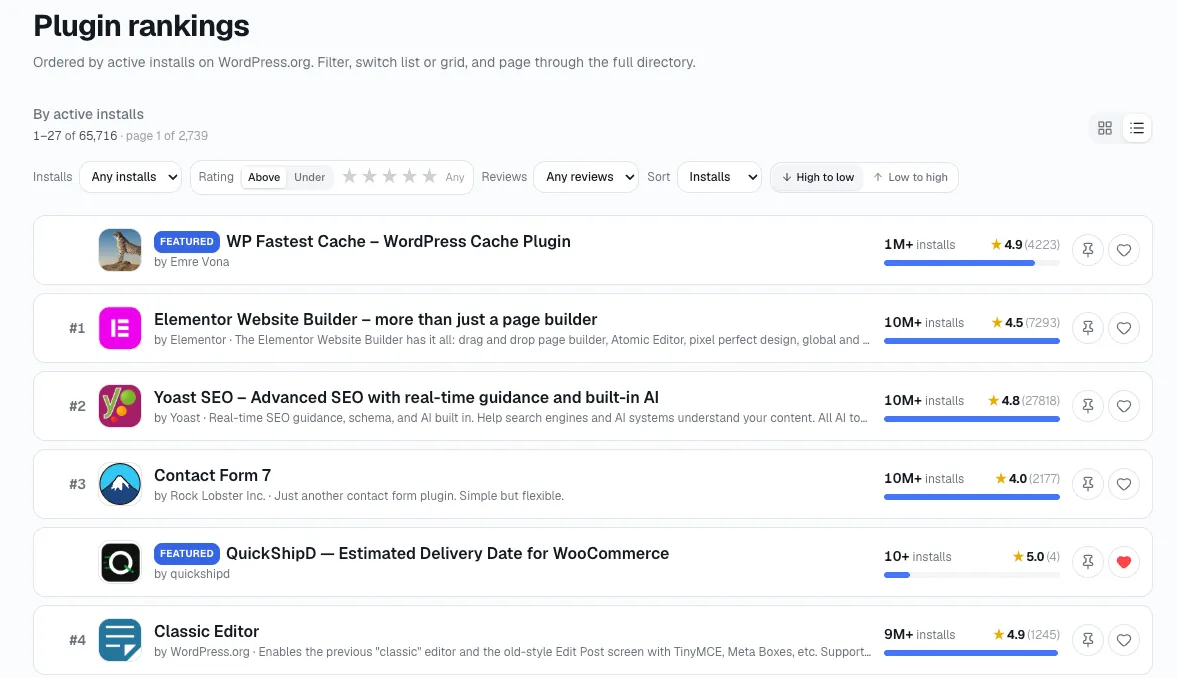
Once you've got a name in mind from any of the five sources above, open statwp.com/plugins (or statwp.com/themes, if you're sourcing a theme idea instead) and search the category by name. You'll see every plugin already competing there, sorted by install count, so you can tell in about 30 seconds whether the space is already thick with actively growing plugins or genuinely open.
Common Questions About Sourcing Plugin Ideas
How many of the five sources should point at the same idea before I take it seriously?
One source is a hunch — I've come to expect that much. Two independent sources landing on the same idea - say, a review complaint and your own client repetition both pointing at the same missing feature - is a much stronger signal than either one alone.
Is a single client request enough to build on?
Not by itself. One request from one client tells you that person has a problem; it doesn't tell you anyone else does. Cross-check it against the forums or reviews before treating it as a real opportunity.
Do I need to be a developer to spot these gaps?
No - everything covered in this guide is pattern spotting: reading reviews, watching your own repeated work, scanning changelogs, not writing code. The technical side only starts once you've picked an idea worth building.
What's the difference between finding an idea and finding a market gap?
Finding an idea, the process on this page, starts from a specific candidate and checks whether it's real. Scanning for a market gap works the other way - scanning across categories for structural gaps before you've picked anything - and is worth doing first if you don't have a candidate yet.
Once I have an idea, what's the next step?
Validate it against real data before building anything. How to validate a WordPress plugin idea with real market data covers exactly where each type of validation data lives.
Can StatWP tell me if an idea I've already found is too crowded to bother with?
Yes - the StatWP catalog search covered earlier in this guide is built for exactly that. Search the category on statwp.com/plugins (or statwp.com/themes for a theme idea) and sort by install count; a category stacked with several actively growing, well-installed plugins is a much harder space to break into than one with a handful of stale results.
You've got a shortlist - now what
I don't treat any of the five sources as proof an idea is worth building on their own - they only tell you where to look. Once you have two or three candidates, the next step is checking install trends, maintenance gaps, and review complaints for whatever's already competing in that space, which is exactly what the validation process in our plugin research guide walks through. And once you've settled on one, the traits that decide whether it actually gets adopted, not just built, are covered in what makes a WordPress plugin successful.