
StatWP's free plan already covers the core job - looking up any WordPress plugin or theme's install, download, rating, and growth numbers - without asking for a card. What the free plan caps is volume: how much niche research, Growth Tracker use, and Review Gap Finder analysis you can run in a stretch before StatWP asks you to upgrade.
The two paid tiers, Enthusiast and Power User, exist to remove that ceiling, add data exports, and turn on SEO keyword rank tracking - a feature the free plan doesn't include at all, at any volume. Here's what that actually means for someone deciding whether to pay.
No-fluff answer: StatWP's free plan already covers looking up any WordPress plugin or theme's install, download, rating, and growth numbers with no card required - the paid tiers remove the usage caps on niche research and review analysis, and add SEO keyword rank tracking, which free doesn't include at any volume.
What you get without paying anything
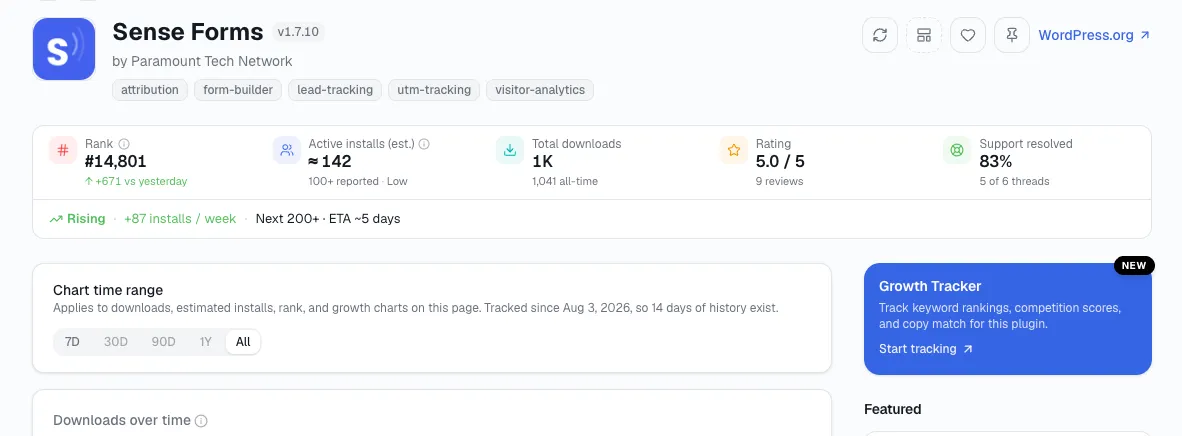
The free lookup - install estimate, downloads, rating, and growth trend, no signup wall.
Open statwp.com/plugins and search any plugin's name. The install count, download history, rating, and growth trend that come back are free to view - no signup wall in front of the basic lookup, no watered-down version of the numbers for non-payers.
That's the same page a plugin-stats lookup walks through in more depth, and it's free at whatever volume a normal person checking plugins actually needs.
Niche research, Growth Tracker, and the Review Gap Finder are also available on the free plan - just with what StatWP describes as casual limits. You can poke at a niche, watch a plugin's monthly growth, or run a review-gap pass without paying anything, up to a point.
Where the free ceiling actually shows up
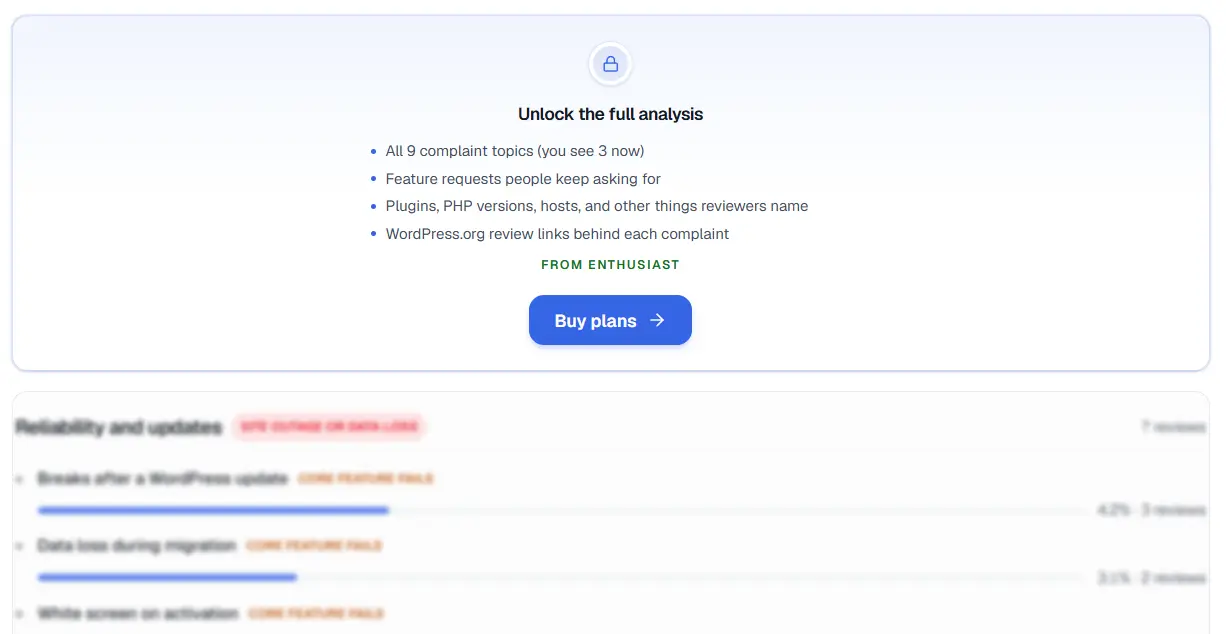
What you see once a free-plan casual limit is reached - the rest of that analysis stays locked until you upgrade.
The honest answer is that StatWP hasn't published the exact numbers behind "casual limits," and I'm not going to guess at them. What's verifiable is the shape: free is built for occasional, low-volume use of those three tools, and the cap is designed to be generous enough for someone trying the product or checking on one or two plugins, not for someone running research across dozens of niches every week.
If you're the kind of user who opens StatWP once a month to see how your own plugin moved, or to sanity-check one competitor before a release, you may never actually hit the free ceiling. If you're doing that same work across a portfolio of plugins, or running niche research as a regular part of finding your next build, you'll likely feel the limit before long - you just won't know exactly where it sits until StatWP tells you, in-app or on its pricing page.
What Enthusiast and Power User actually unlock
Both paid tiers do three things the free plan doesn't:
Raise the volume caps on niche research, Growth Tracker, and the Review Gap Finder - the same three tools available free, just without the casual-use ceiling.
Add data exports, so numbers you're already looking at in StatWP can leave the browser as a file instead of staying something you screenshot or retype.
Turn on SEO keyword rank tracking. This one is a hard line, not a raised cap - keyword rank tracking isn't a free-tier feature at any volume. If you want to track how your plugin's page ranks for specific search terms over time, that specifically requires Enthusiast or Power User.
That third point is worth sitting on for a second, because it's easy to assume "paid unlocks more of the same" and miss that this one is categorically different. Everything else free users get is the same feature at a smaller ceiling. Keyword tracking is a feature free users don't get access to at all - which makes it the clearest single reason a plugin owner who cares about WordPress.org search rankings would go paid in the first place.
Enthusiast vs. Power User: the honest gap here
What isn't publicly clear - and what I won't invent an answer for - is exactly how Enthusiast and Power User differ from each other. It's not obvious from the outside whether Power User is simply Enthusiast with higher numbers across the same feature set, or whether the two tiers are built around different use cases with some features unique to each.
Same goes for actual dollar prices and the precise numeric limits behind "casual" on the free plan and "raised" on the paid ones - none of that is confirmed here, and I'd rather not guess at specific figures than get them wrong. StatWP's pricing page is where the current numbers actually live, and it's the right place to check before choosing between the two paid tiers.
So does a casual plugin owner actually need to pay?
Not automatically. If you're checking your own plugin's stats a few times a month, doing the occasional competitor lookup, and not relying on niche research or the Review Gap Finder as a daily tool, the free plan's casual limits are built for exactly that pattern - you may go a long time without hitting them.
The trigger to actually pay is usually one of two things: you're running into the volume caps often enough that it's slowing you down, or you specifically want keyword rank tracking, which free simply doesn't offer. Paid billing runs through Dodo Payments, StatWP's payment processor, and upgrading is something you opt into from the pricing page when one of those two things becomes true for you - not something the free plan pressures you toward before then.
The questions people actually ask before upgrading
Is there a free trial for Enthusiast or Power User?
Whether there's a free trial for Enthusiast or Power User isn't something I've confirmed - StatWP's own pricing page is the accurate source for current trial terms, if any exist at the time you're looking. Don't take my silence on it as either a yes or a no.
Can I cancel a paid plan anytime?
Cancellation terms are set by StatWP's billing setup through Dodo Payments, and the specifics (notice period, refund policy, etc.) aren't something I've verified. Check the pricing page or your account's billing section for the current policy before you subscribe.
What happens to my data if I downgrade from a paid plan back to free?
What happens to your data on a downgrade from a paid plan back to free isn't something I can state with confidence either way. If preserving exports, tracked keywords, or research history matters to your decision, confirm the downgrade behavior with StatWP directly before you switch plans.
Do I have to pay just to look up my own plugin's stats?
No. Core plugin and theme lookup - installs, downloads, ratings, growth - is available on the free plan without any payment. Paying only becomes relevant once you want higher-volume niche research, Growth Tracker, or Review Gap Finder use, or keyword rank tracking specifically.
Is keyword rank tracking really unavailable on the free plan?
Yes - SEO keyword rank tracking is the one gated feature I can confirm with confidence: it's specific to the Enthusiast and Power User tiers, and the free plan doesn't include it at any volume.
What's the actual difference between Enthusiast and Power User?
Honestly, the exact difference between Enthusiast and Power User isn't something I have a verified answer for. Rather than guess at a feature split, the accurate move is to compare the two tiers directly on StatWP's pricing page, where the current breakdown actually lives.
Where this leaves you
Free covers real, ongoing use of StatWP - plugin lookup without limits, plus casual-volume access to niche research, Growth Tracker, and review analysis. Paid removes the volume ceiling on those three tools, adds exports, and is the only way to get SEO keyword rank tracking at all.
What I don't have a confirmed answer for yet is exact pricing or the specific line between Enthusiast and Power User - that's a deliberate gap, not an oversight, and the pricing page is where to close it.