
Tracking your WordPress plugin's WordPress.org SEO rankings means logging your search position for your specific target keywords on a fixed schedule, the same way you'd log installs or ratings. A keyword rank move usually has an identifiable, recent cause, and that cause is easiest to find while it's still fresh.
This is about your own plugin's (or theme's) keyword position specifically - a narrower thing than tracking your overall directory rank, which responds to installs, ratings, and support together rather than to any one search term.
Short answer: log your plugin's WordPress.org search position for its target keywords on a fixed schedule, not just when you happen to check - a fresh rank move is far easier to trace back to its cause than one you notice months later.
Pick your terms, then check them like clockwork
Pick the three to five terms a buyer in your category would actually type - not what you'd type as the plugin's author, who already knows what it's called and what it does. A term like "the plugin name plus a feature" is rarely what an actual searcher types first; "wordpress [category] plugin" or "how to [task] wordpress" usually is.
Check your position for each one monthly - the same cadence as the rest of your growth-tracking routine. Keyword position moves faster than overall rank in response to a readme change. I've watched this play out the same way more than once, so a monthly check is usually enough to catch it without needing a daily watch. If you've just published a readme change, wait at least ten minutes before checking - search results are cached for roughly that long, so a same-minute re-check can show you the old ranking by mistake.
Write down the term, the position, and the date every time you check - not just the number. A rank history with no dates attached to it can't tell you whether a move happened the week after a readme edit or a month after, and that gap is usually the difference between a confident diagnosis and a guess.
A sudden jump doesn't always mean what you think
When I see a sudden improvement for one specific term, with no matching improvement for your other tracked terms, I read it as something specific you did for that term - a tag change, a phrase you added to the description. That's the kind of move worth writing down while you remember exactly what you changed and when.
A broad improvement across most of your tracked terms at once tells me a different story. It more often reflects a resolution-rate or freshness change instead - the two levers covered in our guide to improving search visibility - since those lift your general standing rather than any one keyword specifically. The pattern itself is the diagnosis: narrow move, narrow cause; broad move, broad cause.
A drop might not even be about you
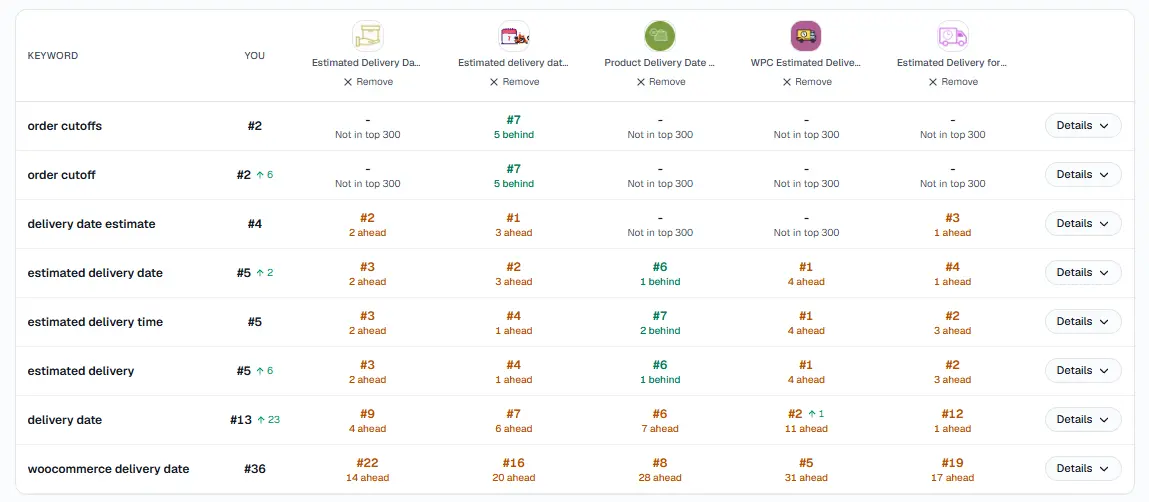
Checking competitors on the same keywords - a drop next to gains on the tracked names beside you is a different story than a drop alone.
Check whether a competitor recently optimized for the same term before assuming something you did caused the drop - a term you haven't touched can still fall if someone else's readme just started matching it more precisely. Monitoring competitor ranking changes is the other half of this same check.
Rule out the boring explanations first, in this order:
Did you change anything in your own readme recently, even something small like a tag?
Has your resolution rate or update recency slipped without you noticing?
Has a competitor's listing changed - a new title, a new tag, a fresher update?
I don't call a drop unexplained until all three come back clean - before that, it's just under-investigated.
What a few months of this actually looks like
Month one is mostly a baseline in my experience - you're logging positions with no history to compare them against yet, so resist the urge to react to anything. By month two or three, I start to see a pattern separate from noise: a term that's climbed steadily each check is a real trend, while a term that's bounced up and down by one or two positions each time probably always will, regardless of what you do.
That's also usually when I hit the first real diagnostic question - a term moved, and I need to work out whether it was me, a competitor, or the directory-wide factors covered above. Having two or three prior data points instead of one is what makes that question answerable instead of a guess.
Turn the routine into a record instead of a memory
Doing this by hand means a spreadsheet, a recurring calendar reminder, and the discipline to actually open both every month - I've watched that exact routine quietly stop happening after a few busy weeks more than once. StatWP's growth tracker keeps rank history and keyword rank for your chosen terms automatically, whether you're tracking a plugin or a theme, so the record exists whether or not you remembered to check that particular month.
Here's what that actually looks like:
Open statwp.com/tools/growth.
Add each of your three to five target terms once - keyword rank tracks them from there automatically.
Come back on your monthly schedule and check the rank history chart instead of re-running the same searches by hand.
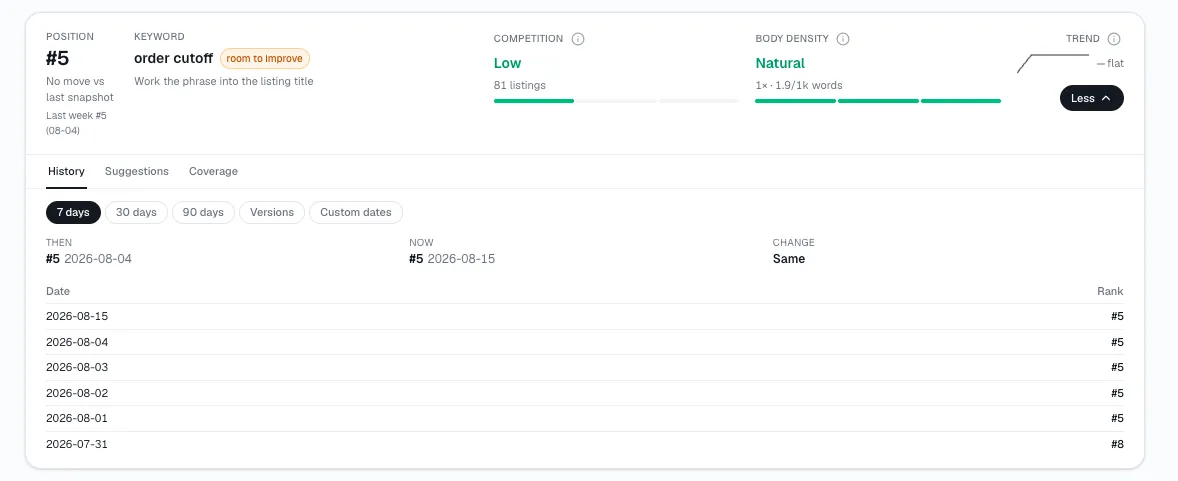
Adding a term to watch
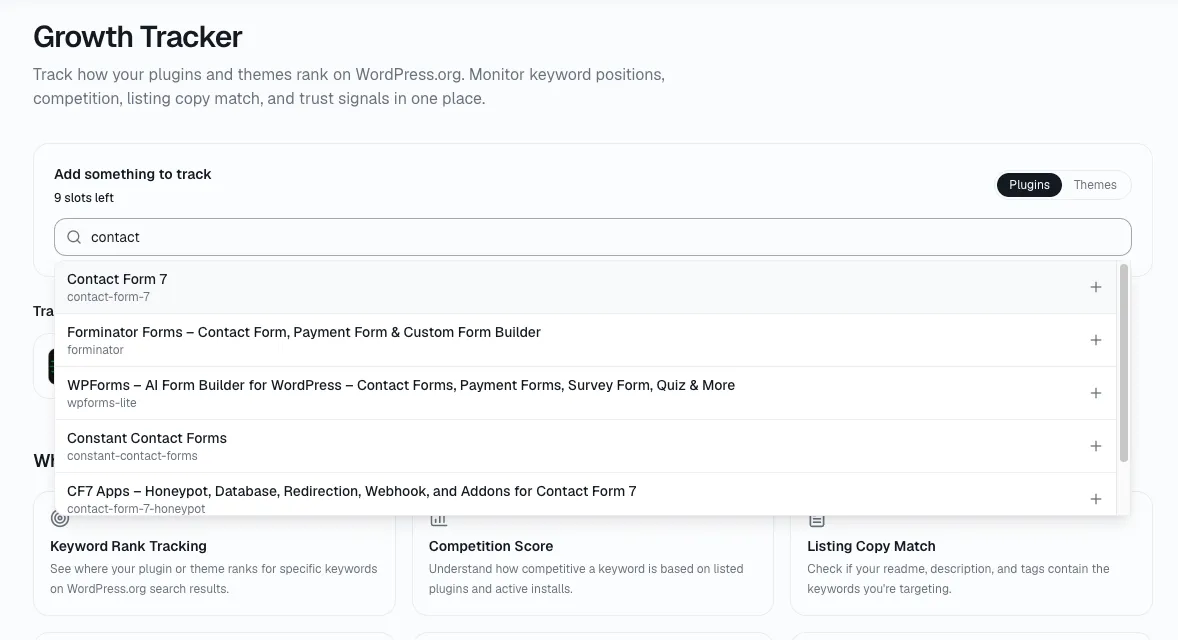
The add-keyword screen is the same one you'll come back to whenever you want to start watching a new term - after a rebrand, a new feature, or just a hunch about a phrase you haven't tried yet.
Tracking questions worth answering once
How many keywords should I actually track?
Three to five. Fewer and you'll miss a real move on a term you didn't think to watch; more and the monthly check turns into a chore you start skipping, which defeats the point of a fixed schedule in the first place.
What counts as a meaningful move versus noise?
There's no universal cutoff, but a single-position wobble on a term ranked past position 30 is usually noise, while any move inside the first page is worth a second look regardless of size, since that's the range where it actually affects installs. Consistency across two consecutive monthly checks is a better signal than any one snapshot.
Should I track my competitors' keyword rank too, or just my own?
Both, if you have the time, but they answer different questions. Your own rank tells you whether your changes are working; watching a competitor's plugin (or theme) rank tells you whether a drop on your end is actually about you.
Does tracking rank itself do anything to improve it?
No - tracking is diagnostic, not corrective. It tells you what happened and roughly why; actually moving your rank means working the four levers covered in our search visibility guide.
I only track one keyword right now - is that a problem?
It limits what a jump or drop can tell you. With one term, you can't tell a narrow, term-specific cause from a broad, plugin-wide one - that comparison is the whole point of tracking three to five terms instead of one.
My rank moved right after a WordPress core release - is that a coincidence?
Maybe not. Update recency and WordPress core compatibility both factor into where a plugin lands once it matches a search, and a major core release is exactly when a lot of plugins update their "Tested up to" line at once - shifting relative freshness across the whole directory, not just for you. If a move lines up with a core release more than with anything you personally changed, treat it as a broad-cause move rather than something specific to your listing.